
• +1.480.966.3040
  • [email protected]
Thursday, December 4, 2025
Vivid Racing News
  • Shop Parts
  • Customer Builds
  • Resource Center
  • All News
    • Product Info
    • Project Cars
    • Tuning & Tech
    • Videos
    • Client Cars
    • Gallery
  • Social Media
    • Instagram
    • YouTube
    • TikTok
    • Facebook
    • Twitter
    • LinkedIn
  • Contact Us
No Result
View All Result
  • Shop Parts
  • Customer Builds
  • Resource Center
  • All News
    • Product Info
    • Project Cars
    • Tuning & Tech
    • Videos
    • Client Cars
    • Gallery
  • Social Media
    • Instagram
    • YouTube
    • TikTok
    • Facebook
    • Twitter
    • LinkedIn
  • Contact Us
No Result
View All Result
Vivid Racing News
No Result
View All Result
Home Tuning & Tech

WP Pro Brake Big Brake Kit Installation | Can-am Maverick X3

Dan by Dan
March 6, 2019
in Tuning & Tech
2

Installation Overview

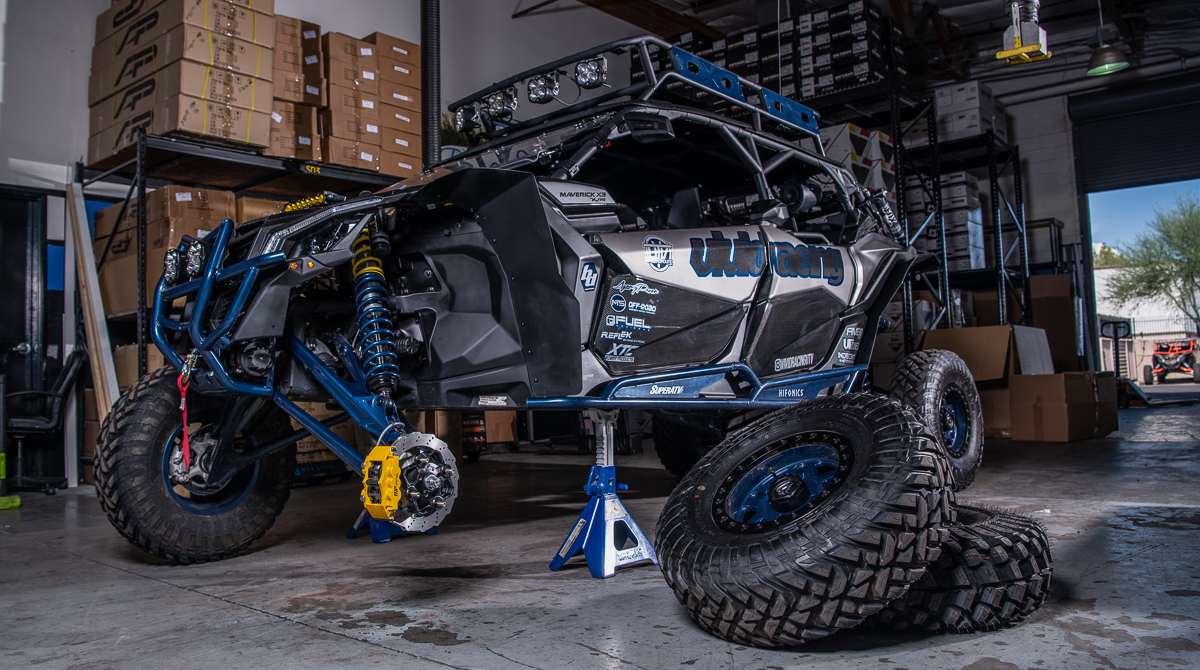
WP Pro Front Big Brake Kit Can-Am Maverick X3 | Model #WP-BRP-X3-405

Step 1:  Properly secure the vehicle with jack stands and remove the front wheels. 

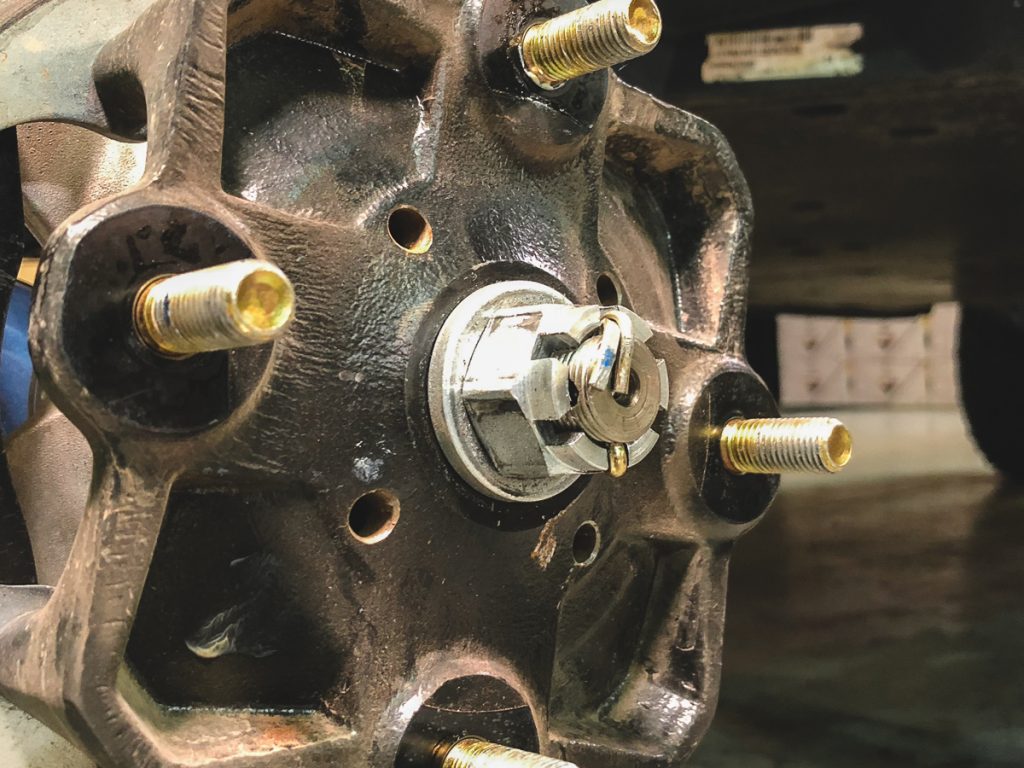
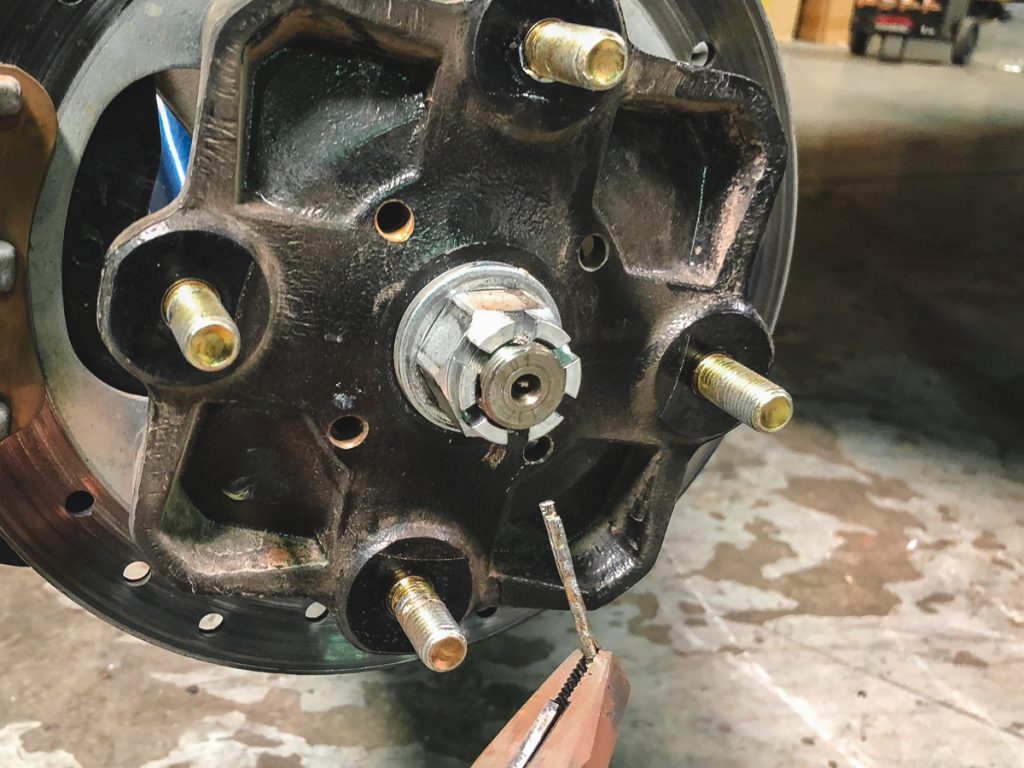
Step 2: Remove the cotter pin from the axle nut and loosing the nut using a 30mm socket and breaker bar. Have someone assist during this step by holding down the brake pedal, this will hold the axle in place and allow you to break the nut loose. Do this for both the passenger and driver side.
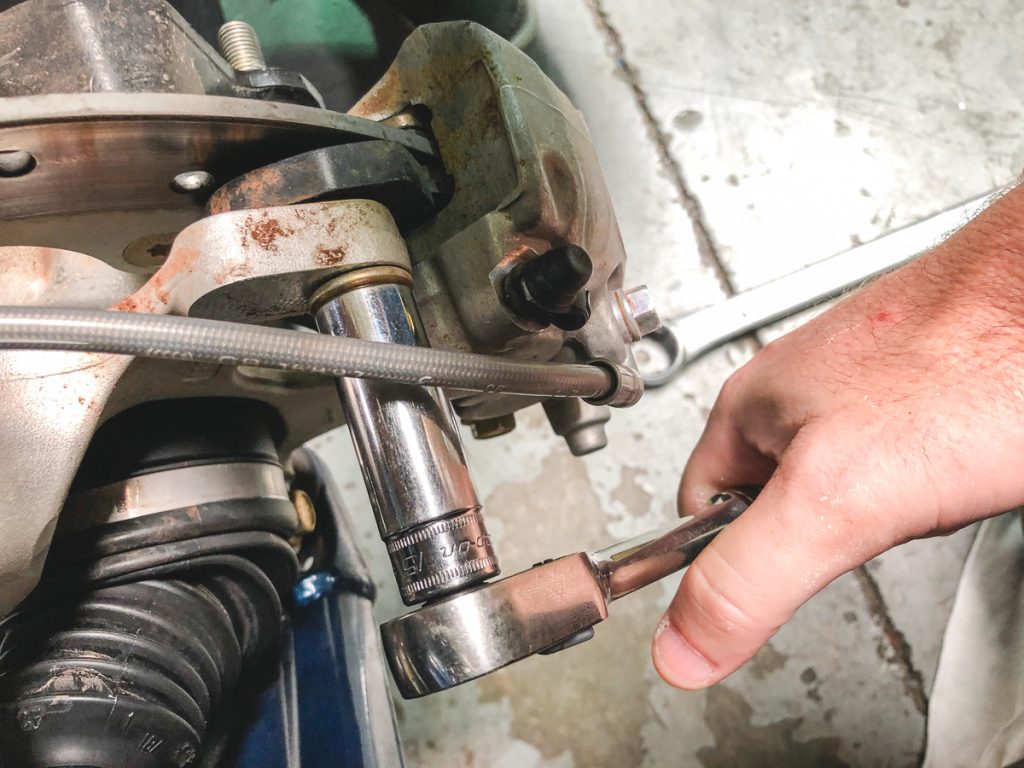
Step 3: Disconnect the brake line and remove the factory front brake calipers.
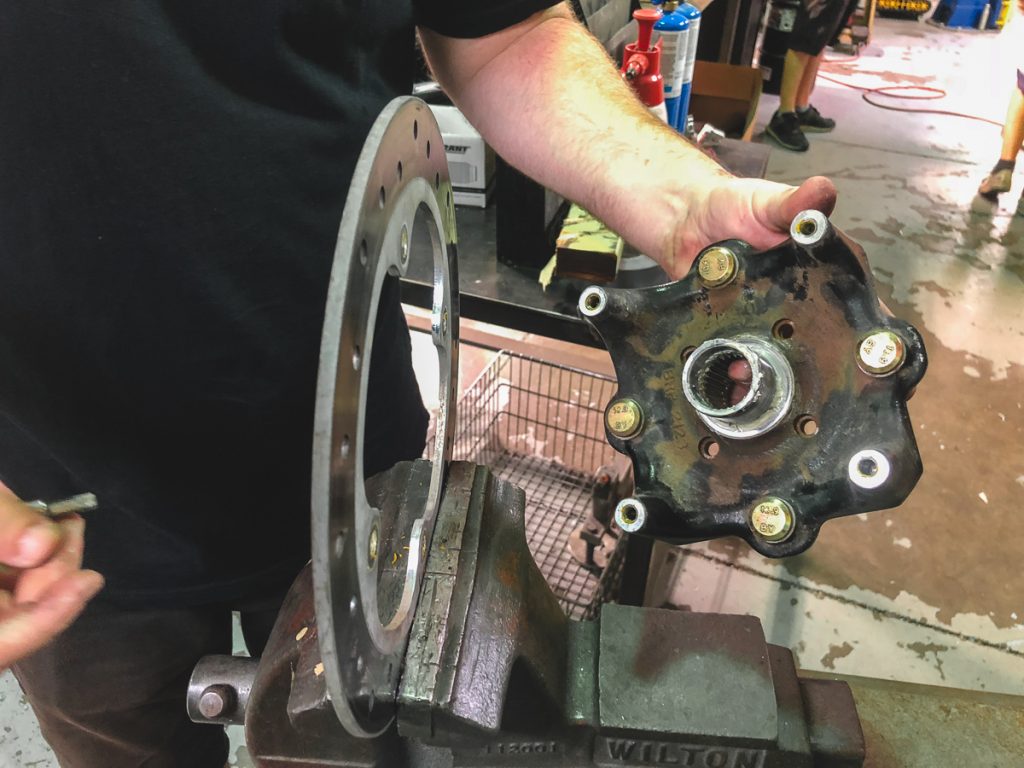
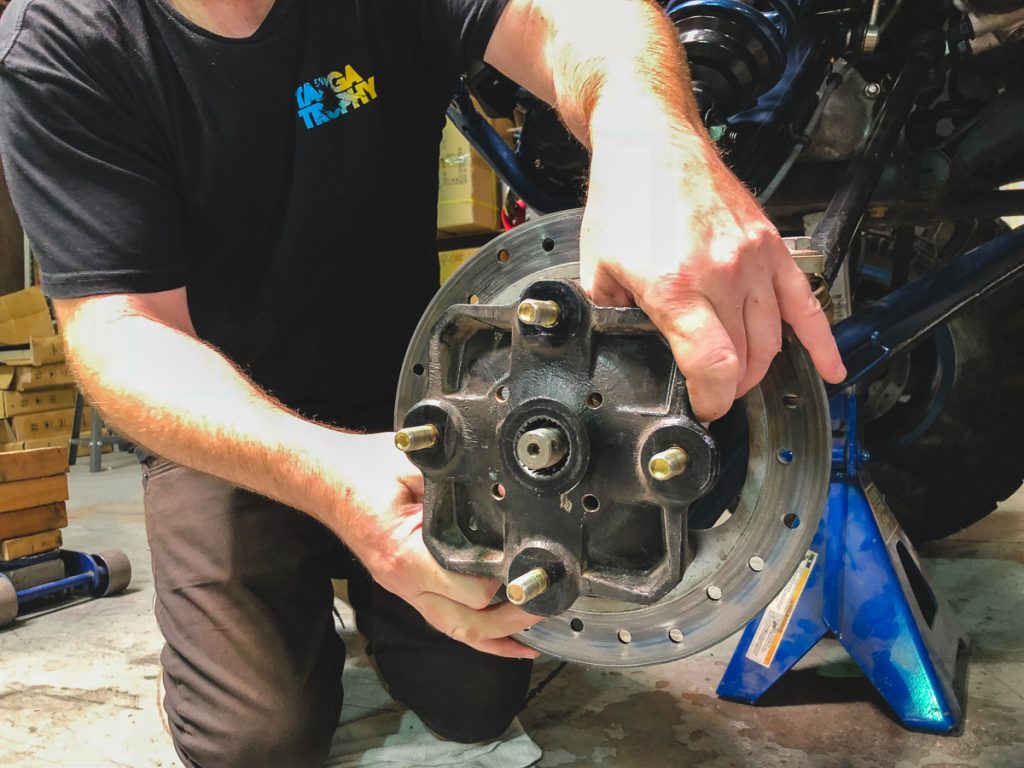
Step 4: Remove the rotor and hub from the vehicle. 
Step 5:  Remove the (4) Torx screws that secure the hub to the rotor. 
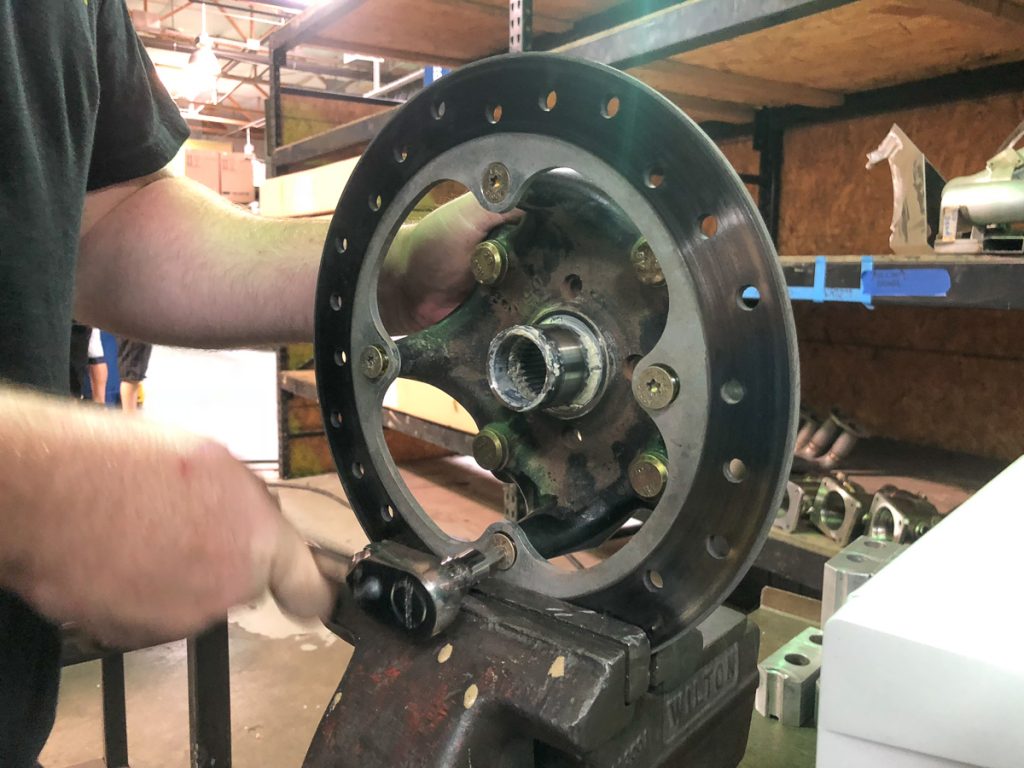
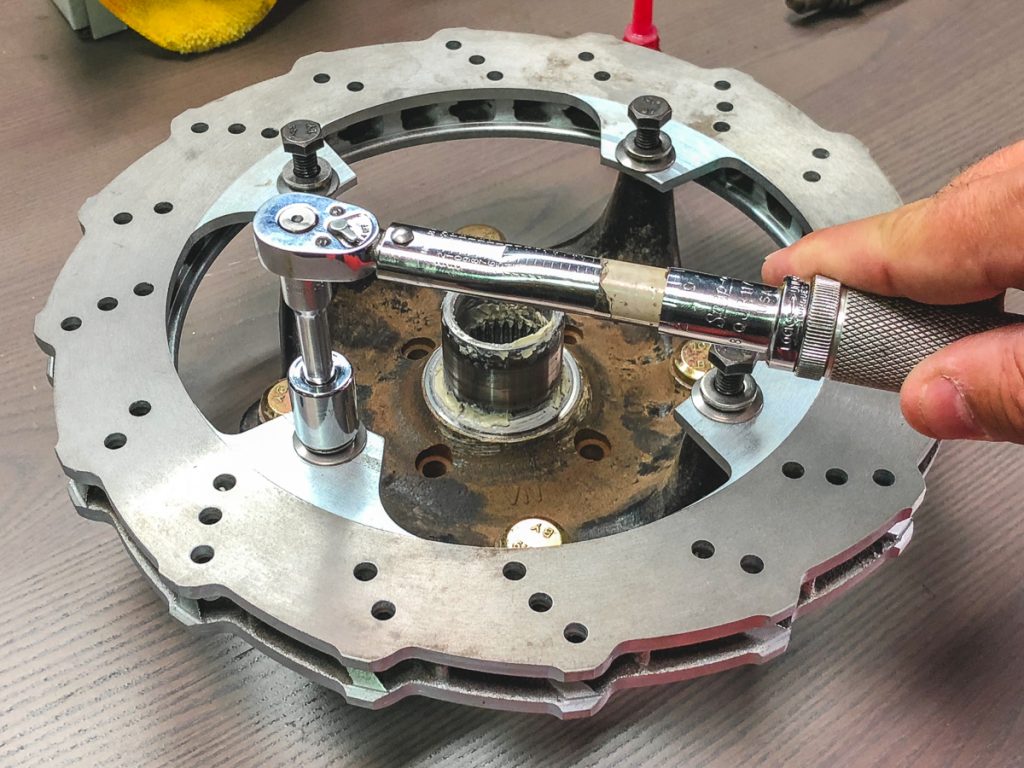
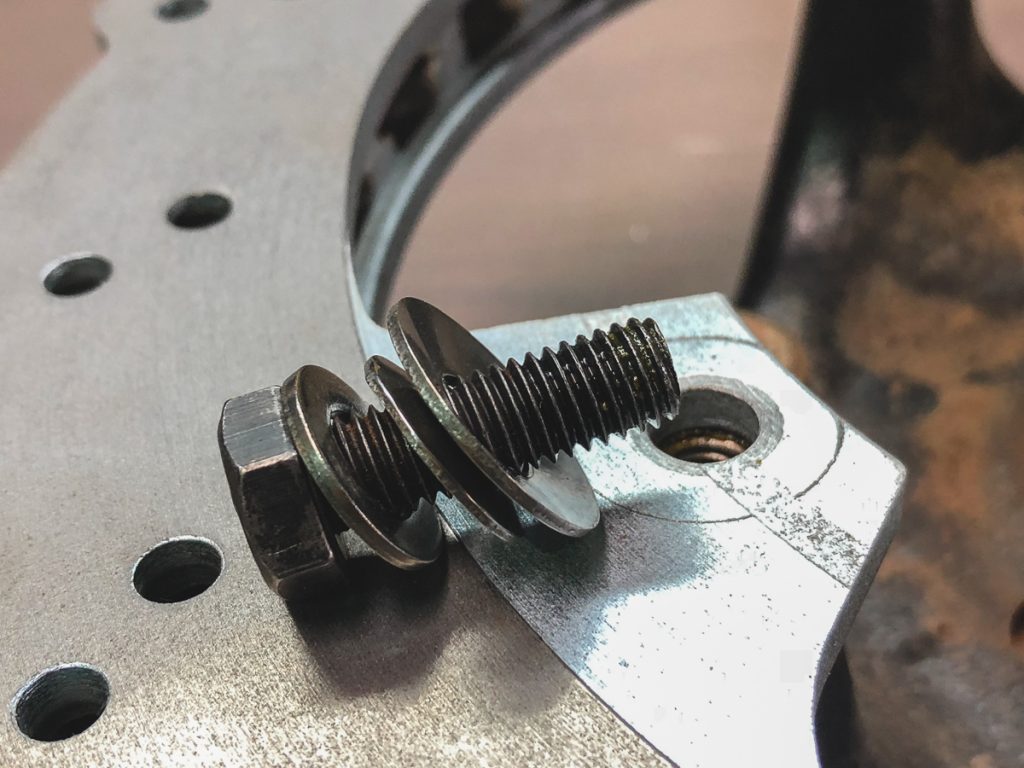
Step 6:  Use the supplied floating hardware and install the WP Pro Rotor to the Hub. Torq The kit includes two alignment screws that are to be used to align the rotor onto the hub. Use Apply thread locker and Torq to 25nm / 18.44 ft-lbs 
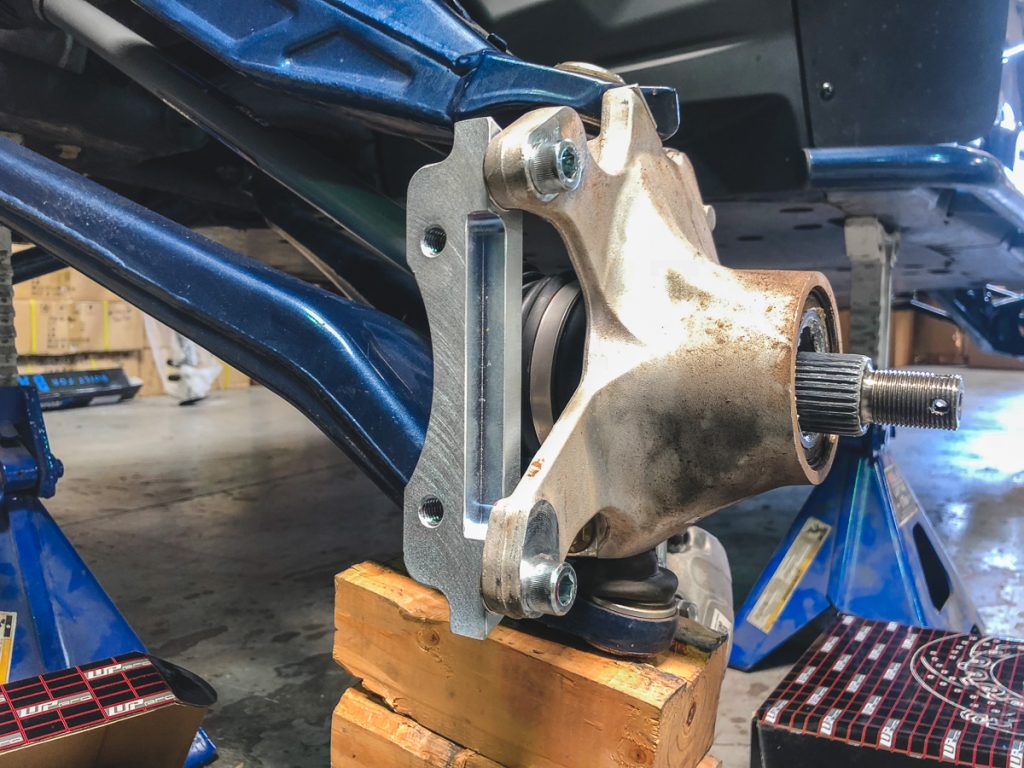
Step 7:  Use the supplied hardware to attach the bracket to the spindle as shown. Apply thread locker and Torq to 80nm / 59 ft-lbs 
 

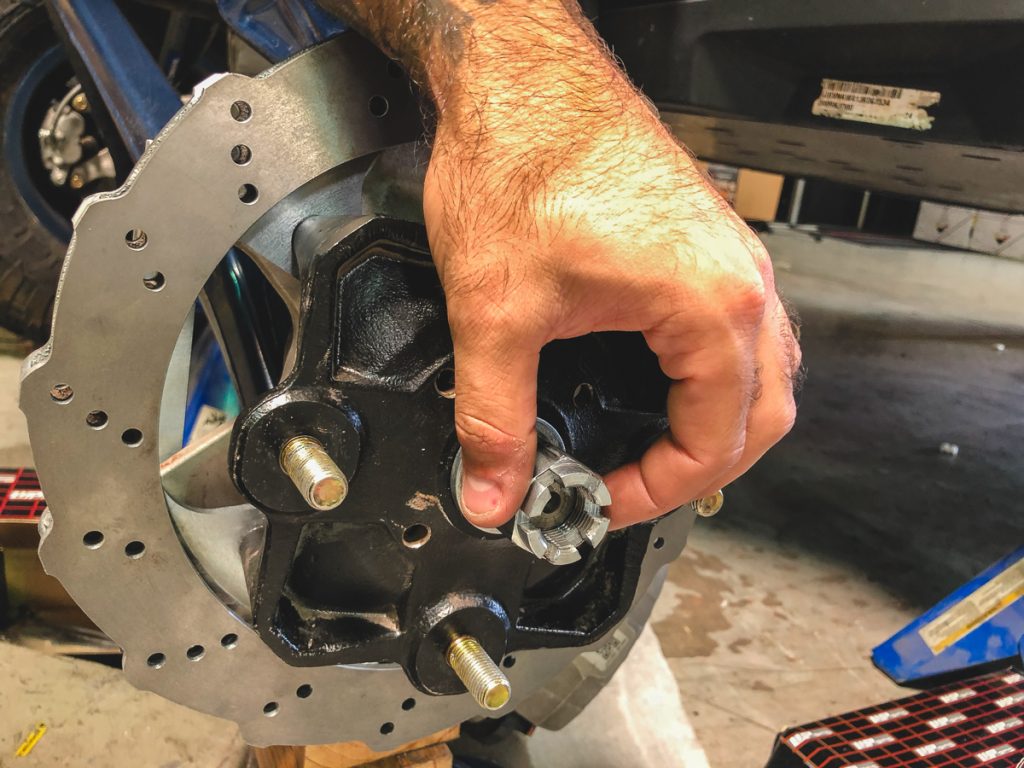
Step 8:  Install Rotor 
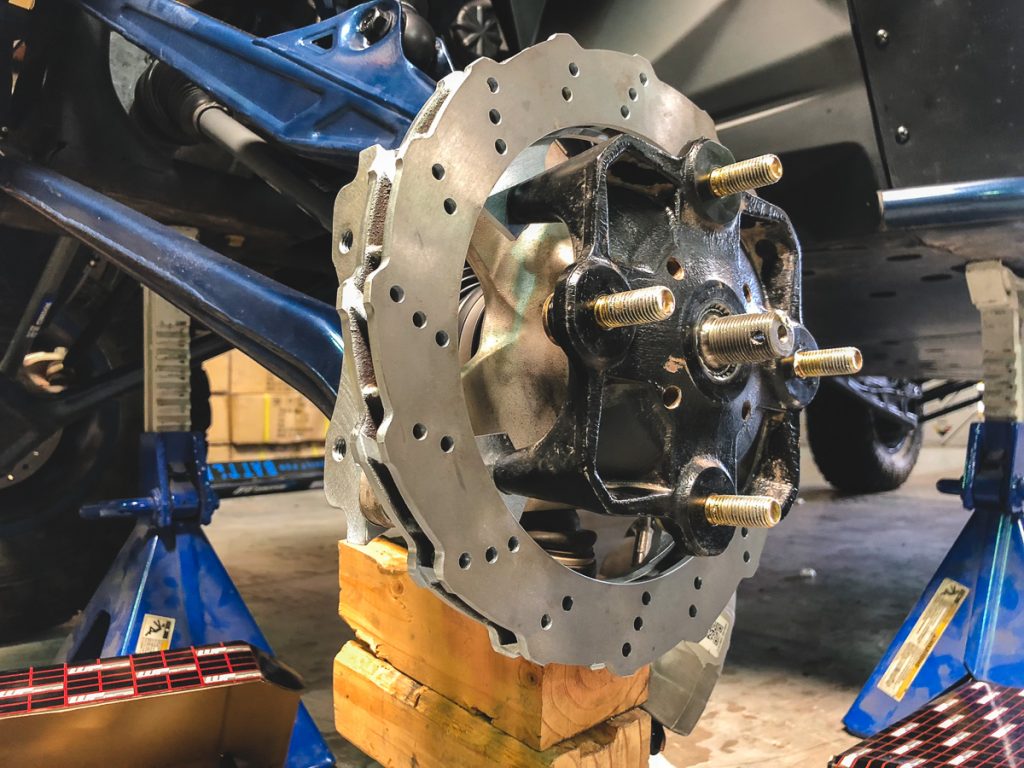
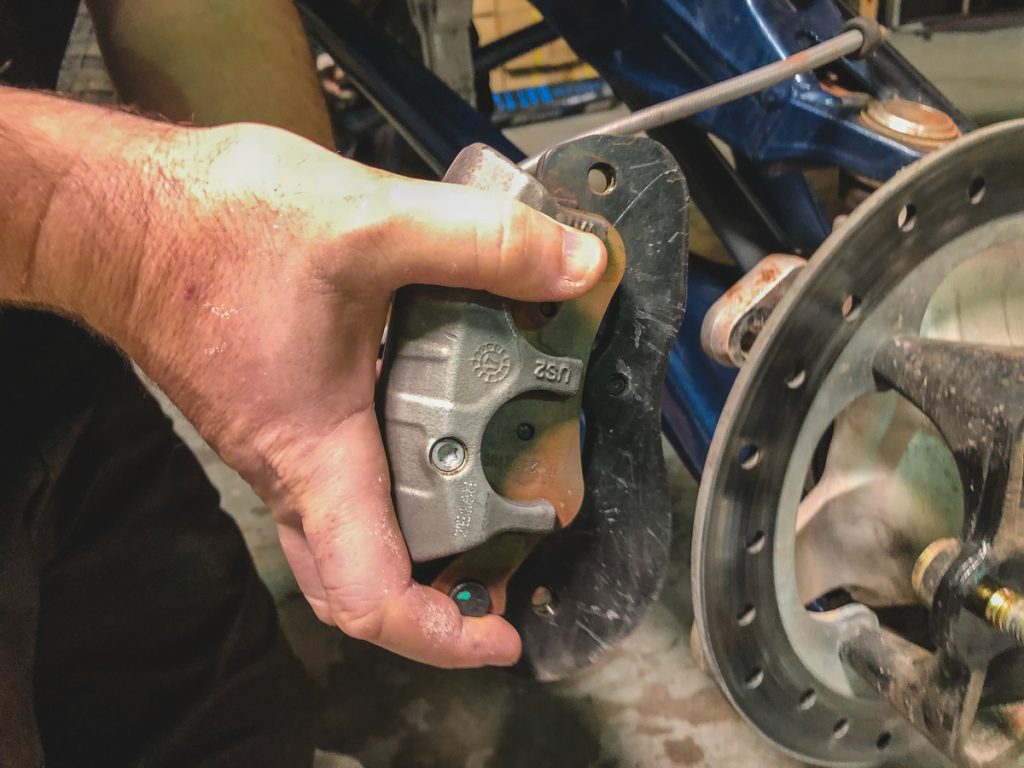
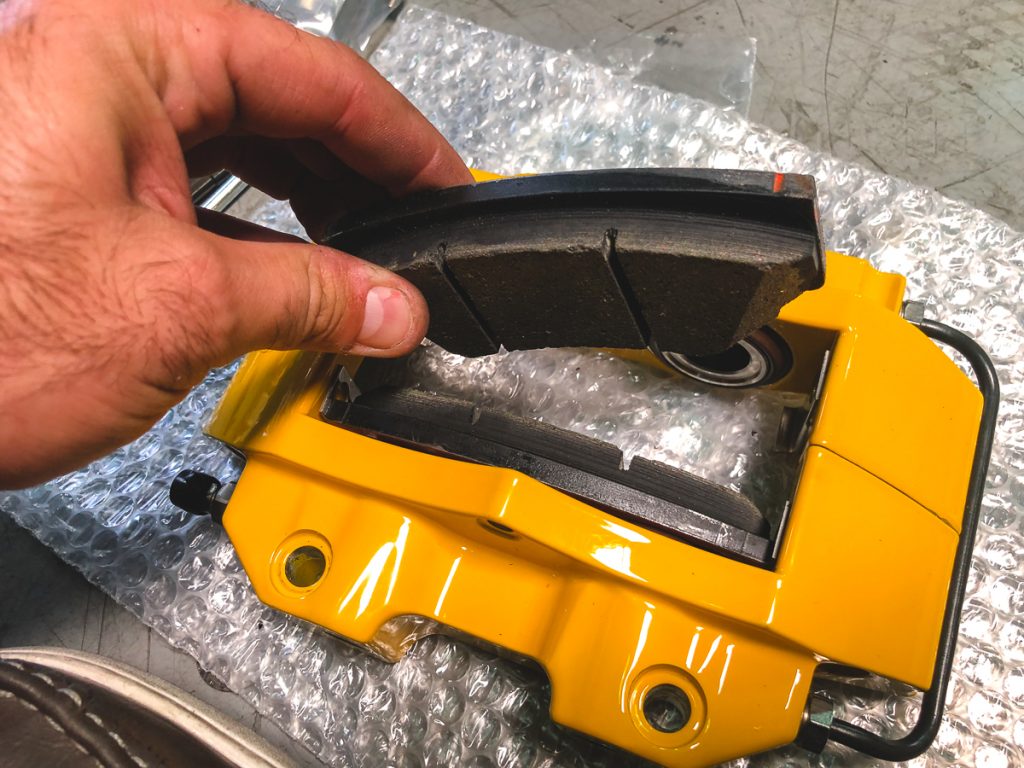
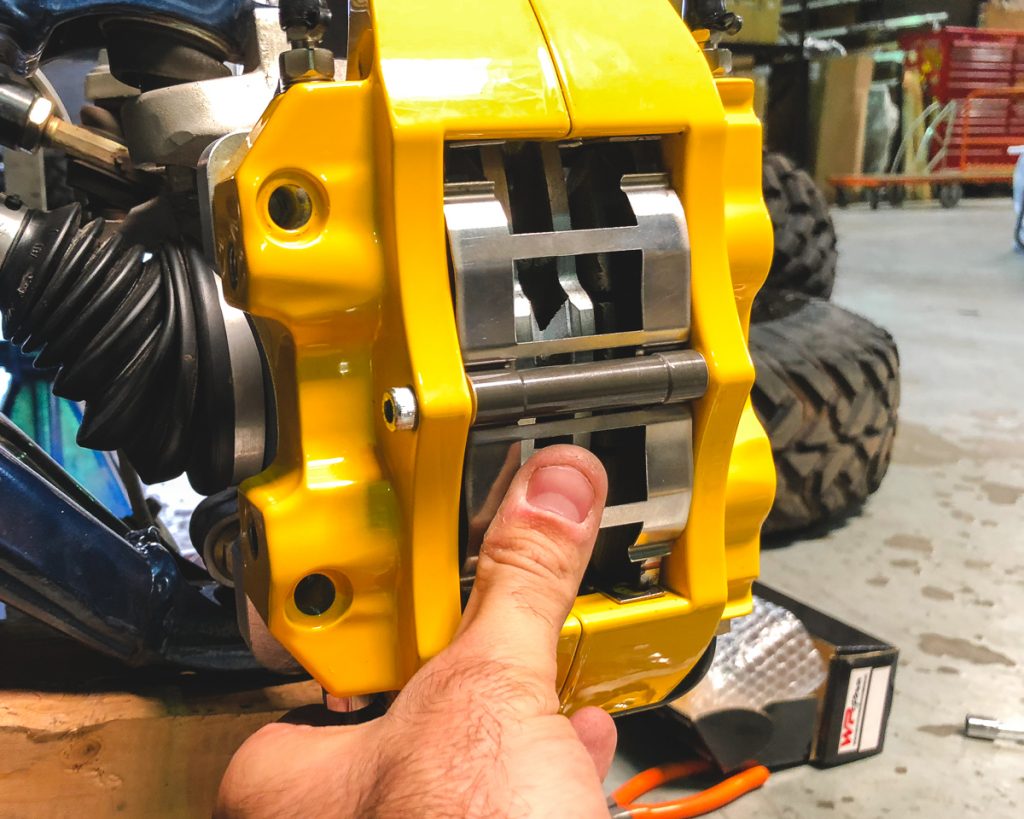
Step 9:  Install provided brake pads into each caliper and bolt the caliper to the rotor using supplied hardware. 
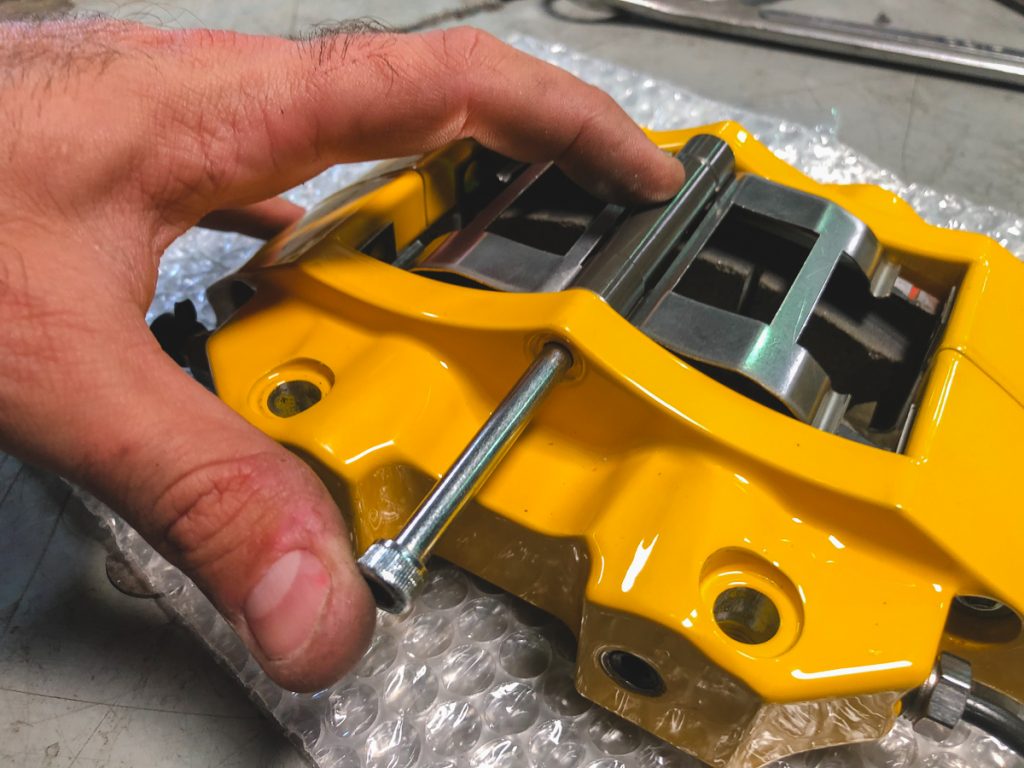
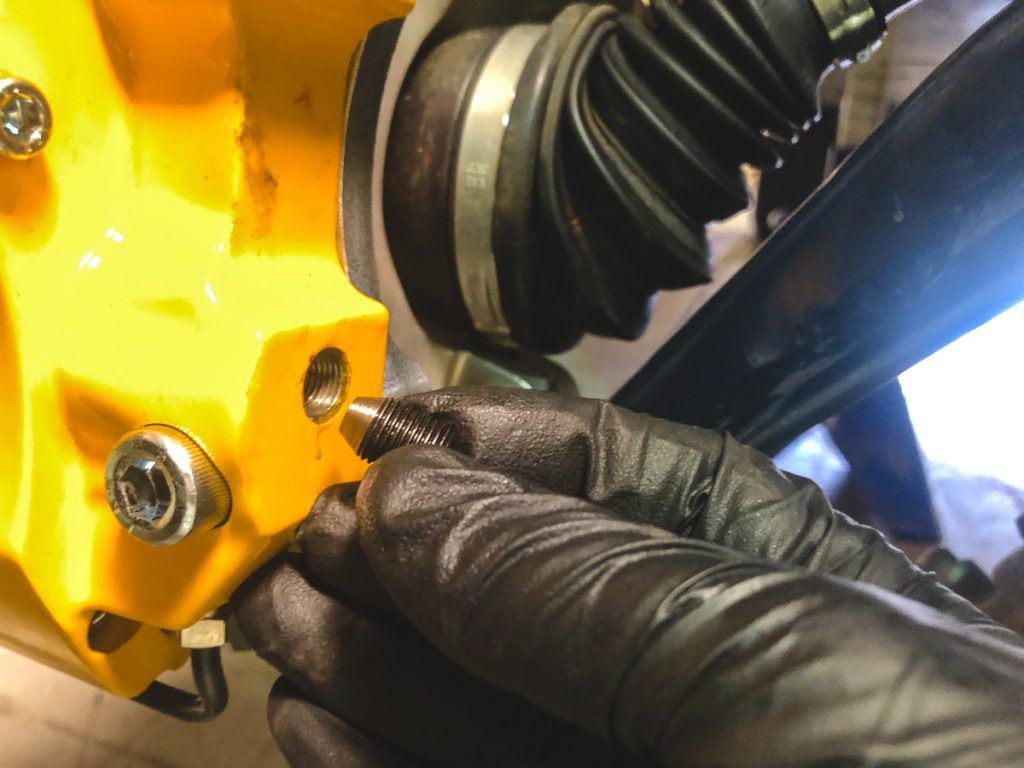
Step 10:  The WP Pro Calipers have two inlet locations for brake line connections. Remove the screw inside the port that best fits your brake line length. Attach brake line using the provided Banjo Bolt and Copper washers. 

Note: On our Can-am X3xRS with Factory Suspension we found that the lower brake line inlet port worked best.  
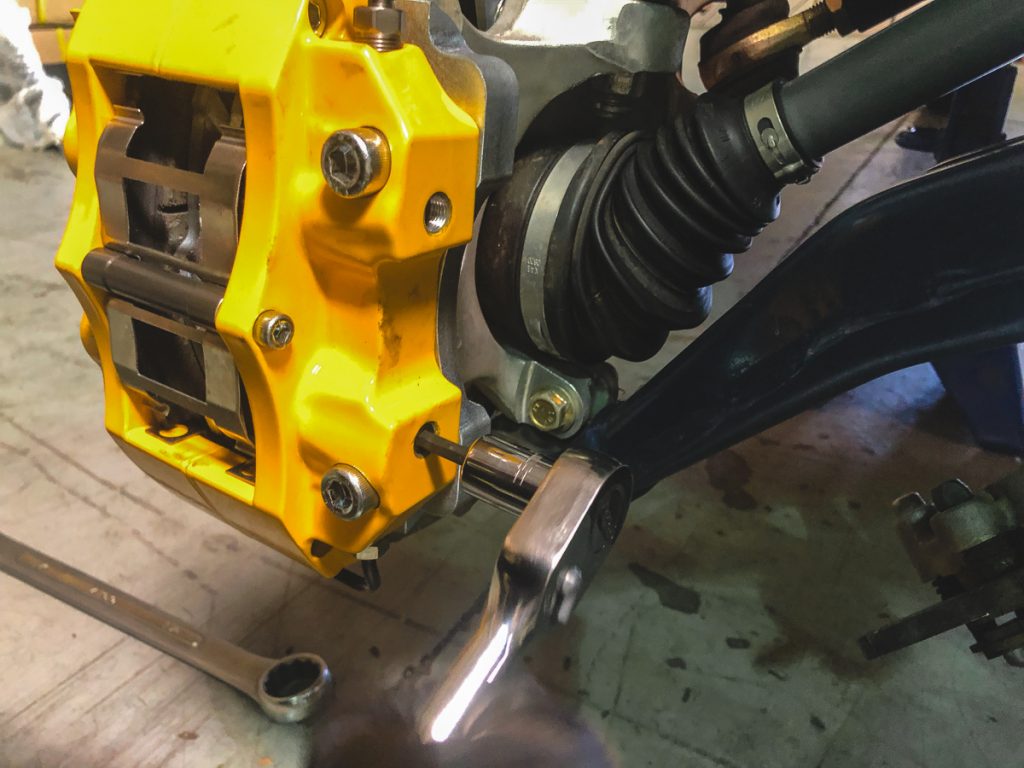
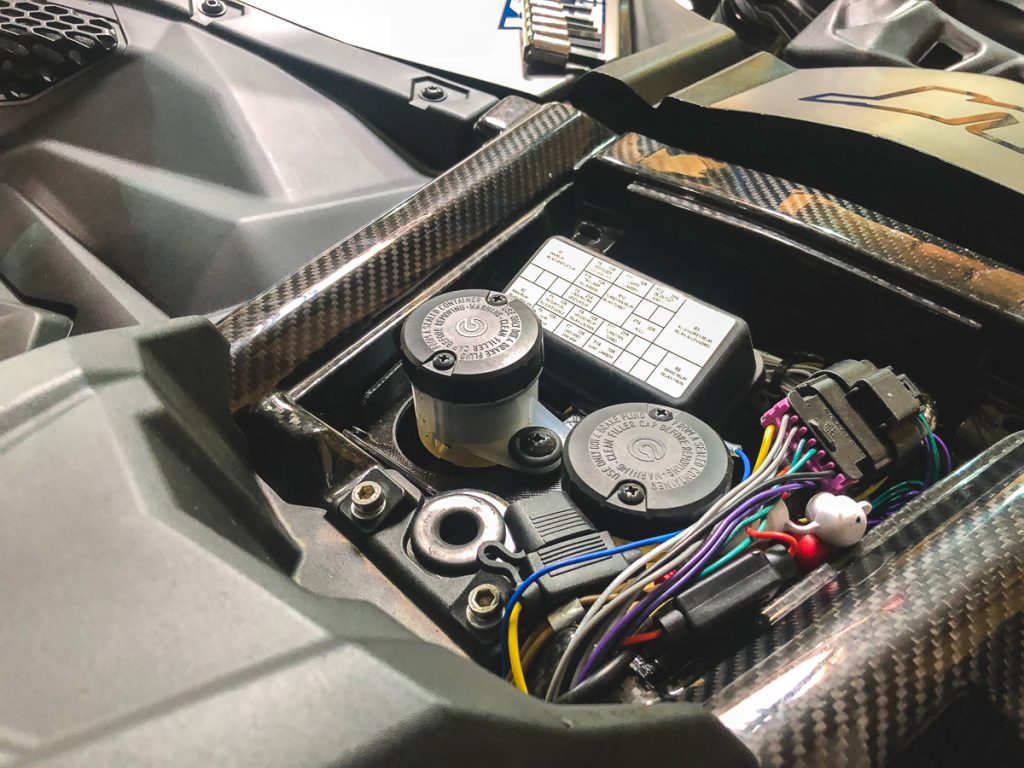
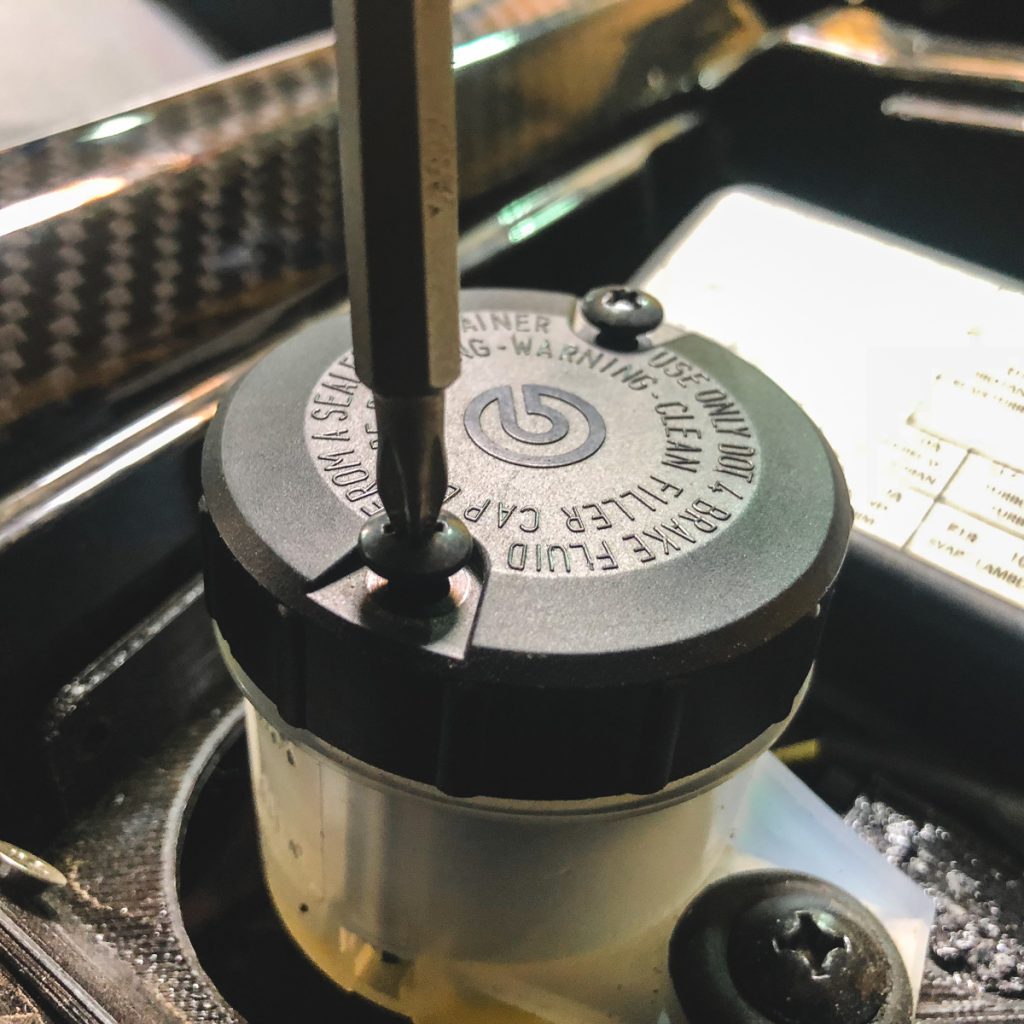
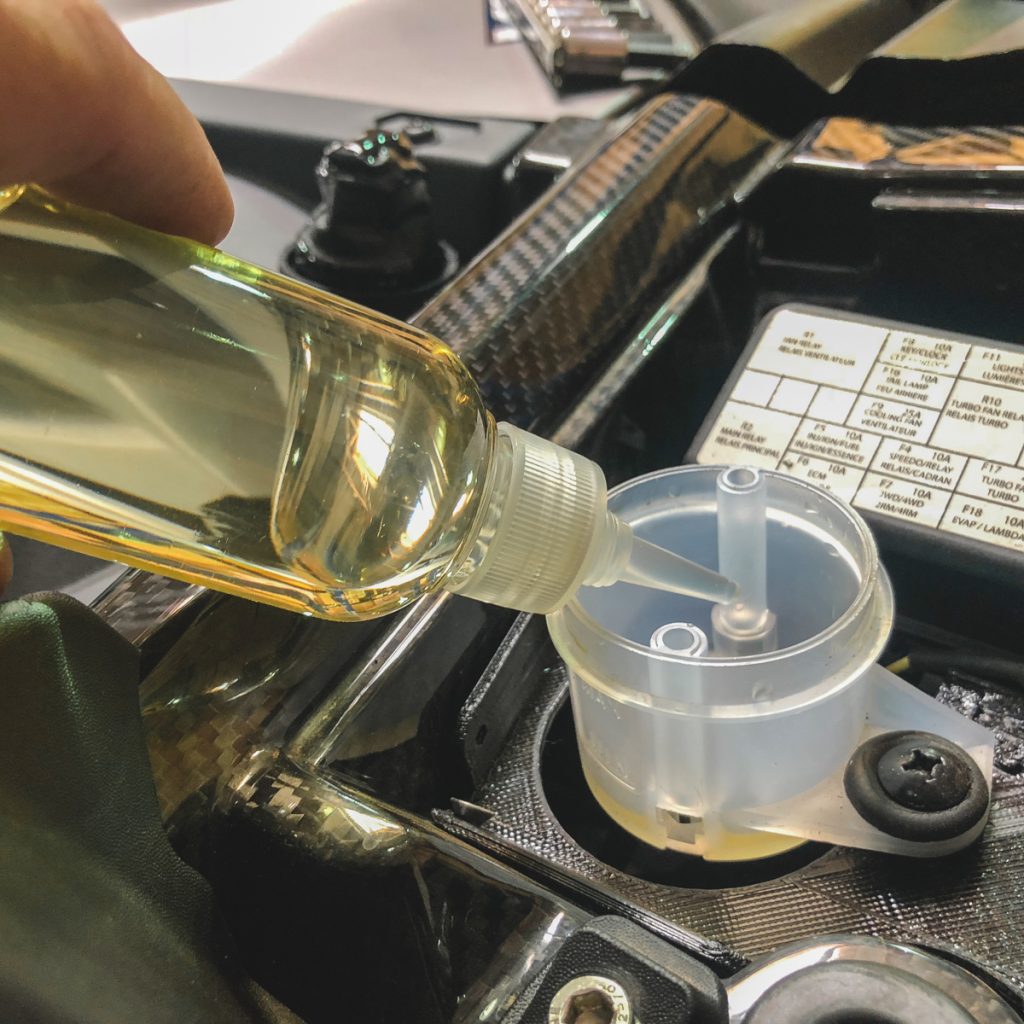
Step 11: Bleed the brake system. 

BRAKE FLUID DOT 4 (P/N 779151)

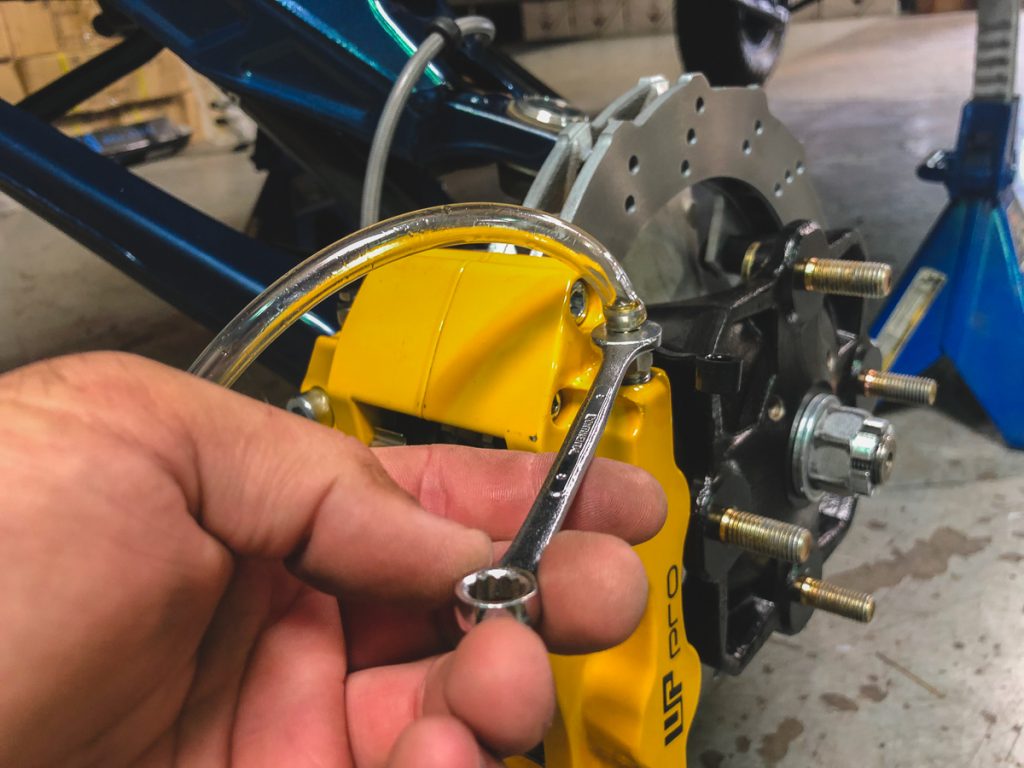
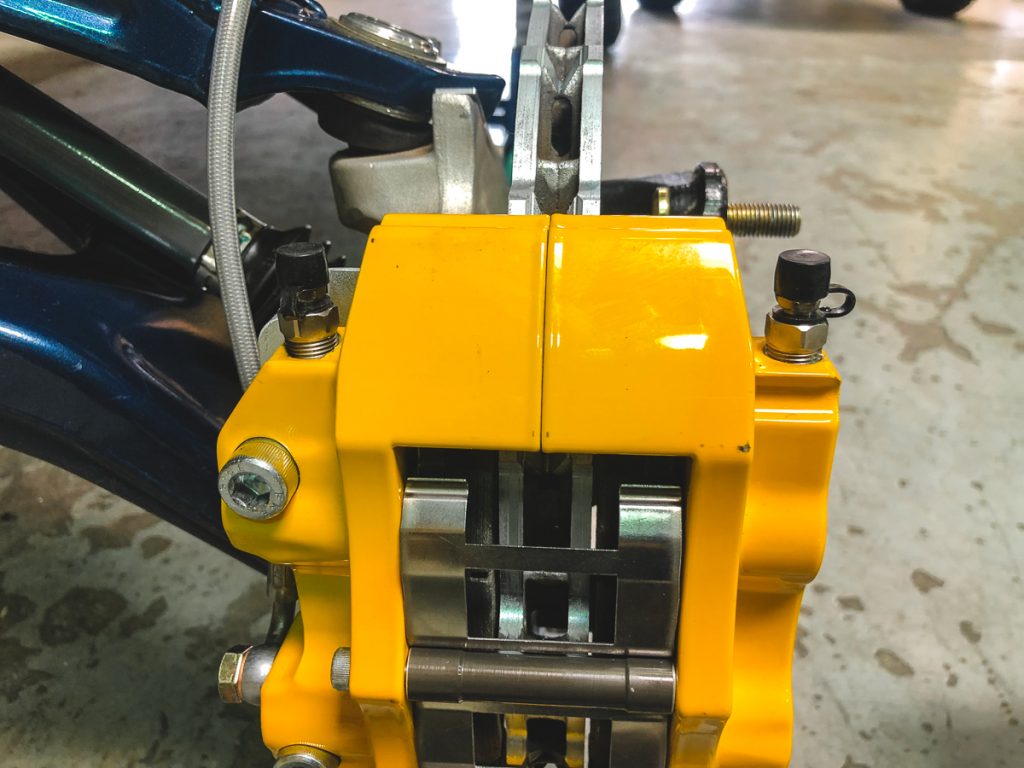
WP Pro Caliper have two bleed screws to assist with getting the air out of the system. When bleeding each caliper start at the outside bleed screw and work inward. 

Bleeding Brake System

(Manual BleedingProcedure)

NOTE: Brake fluid reservoir must be kept full to

prevent air from being pumped into the system.

1. Connect a clear hose onto caliper bleeder.

2. Pump up system pressure with brake pedal until

pedal resistance is felt.

3. Depress and hold brake pedal.

4. Open bleeder and then close it.

5. Release brake pedal slowly.

NOTE: Do not release brake pedal until bleeder

has been closed.

6. Repeat procedure until fluid flows out without

any air bubbles.

7. Tighten bleeder.

8. Add recommended brake fluid to MAX. mark.

Do not overfill.

Bleeding Brake System

(Procedure Using a Vacuum Pump)

NOTE: Brake fluid reservoir must be kept full to

prevent air from being pumped into the system.

1. On each caliper, unscrew bleeder until brake

fluid comes out then close it.

2. Install the vacuum pump onto caliper bleeder.

3. Place pump to vacuum position.

4. Pump vacuum pump a few times.

5. Loosen bleeder.

6. Continue to pump until no more air bubbles appear

in clear hose.

7. Close then tighten bleeder.

8. Add recommended brake fluid to MAX. mark.

Do not overfill.
 

Tags: 201720182019Big BrakesBrake BleedingCan am X3DIYFront BrakesHow to InstallInstallmaverickupgradeUTVWP ProX3
Previous Post

Mahindra Roxor ECU Upgrade to Gain Power and Go Faster than 45mph!

Next Post

Deal Alert: N-FAB Side Steps $40 Off Rebates

Dan

Dan

VividRacing.com Performance Racing Parts Store. Selling some of the best and highest quality performance automotive parts and promoting the automotive lifestyle.

Next Post
Deal Alert: N-FAB Side Steps $40 Off Rebates

Deal Alert: N-FAB Side Steps $40 Off Rebates

Comments 2

  1. Jason rod says:
    7 years ago

    Do you make a kit for the rear?

  2. Dan says:
    7 years ago

    You can use the same kit on the rear by making 1/4” spacers to where the caliper bolts to the wheel carrier. Have done it before. We have several colors instock and we can make you a special price for the front and rear.

Leave a Reply

Your email address will not be published. Required fields are marked *

For Security, Please Answer... *

Got a Question? Need Help?

Ask bubble icon

Blog Categories

Search Builds

Latest Posts

  • Happy Thanksgiving, Vivid Racing Fans!
  • Vivid Racing 2025 Black Friday Sales
  • Max Out Your Horsepower: Top 5 BMW S55 Power Mods
  • How to Measure Backspacing & Offset
  • Which Subaru WRX VB Exhaust Has the Best Sound?

Reader Comments

  • Dan on BMW 435I Coupe Wearing New Avant Garde M410 Wheels In Silver – Now Available
  • Zander Mangano on BMW 435I Coupe Wearing New Avant Garde M410 Wheels In Silver – Now Available
  • Dan on Loudest Corvette Exhaust
  • Michael Long on Loudest Corvette Exhaust
  • Dan on Porsche 996 Turbo Race Car in Australia
  • Karl Hardy on Porsche 996 Turbo Race Car in Australia
  • Dan on 20inch HRE Wheel Setup in Porsche 997 Turbo
  • miron szydlowski on 20inch HRE Wheel Setup in Porsche 997 Turbo
  • Dan on Jose Contreras – 1994 Toyota Supra
  • VIGUIÉ on Jose Contreras – 1994 Toyota Supra

Tags

997 Agency Power Audi BMW Body Kit Carbon Fiber Chevy Coilovers Corvette ECU Flash ECU Tuning evo exhaust Ferrari Ford GTR honda HRE JDM Jeep Lamborghini M3 Mercedes Mustang Nissan performance porsche racing rohnstein sti subaru Suspension Toyota Tuning Turbo UTV Video vividracing Vivid Racing Vorsteiner VR Tuned VRTuned Wheels wholesale WRX

Join Our Newsletter

Subscribe to receive special offers

Sales and Support

 1-480-966-3040
 [email protected]

Monday-Friday
8am - 6pm MST
Saturday-Sunday
Closed
  • About Us
  • Shipping and Returns
  • Finance
  • Wholesale
  • Privacy Policy
  • Terms and Conditions

Copyright © 2022 Vivid Distributing LLC

No Result
View All Result
  • Shop Parts
  • Customer Builds
  • Resource Center
  • All News
    • Product Info
    • Project Cars
    • Tuning & Tech
    • Videos
    • Client Cars
    • Gallery
  • Social Media
    • Instagram
    • YouTube
    • TikTok
    • Facebook
    • Twitter
    • LinkedIn
  • Contact Us

Copyright © 2022 Vivid Distributing LLC